Flow Access
Flow access controls how requests are authenticated when invoking flows deployed in Utilihive. Authentication credentials are created as service accounts. You can manage service accounts in the Utilihive Console
After creating a service account, you must grant it permission to access specific flows. This authorization step ensures that only approved service accounts can invoke the corresponding flow endpoints.
Create a Service Account
To create a service account in Utilihive Console:
-
Select Security from the left navigation menu.
-
Click Create Service Account in the top-right corner.
-
Enter a Name, select the Credential type, and click Create.

After you create a service account, you can view it on the Service Accounts tab in the Utilihive Console.
Credential Types
When you create a service account, choose one of the following credential types:
| Type | Description |
|---|---|
API key |
A single, auto-generated string. Set it as the value of the HTTP header named |
Basic authentication |
A username and password pair, where the username is the service account name and the password is auto-generated. Use the pair in the HTTP authorization header as a Base64-encoded string. |
Poller User |
No credentials are generated. Authentication is handled by the server during poller setup, rather than on each request. Use this option for flows that do not have a public API endpoint, such as file pollers. See Poller User for more information. |
|
For basic authentication and API keys, you can access the auto-generated string only once. Make sure to copy it or select the save button ( If you misplace a service account’s credentials, you can generate new ones. Select the service account name, then select Reset Credential. |

After you select the Create button, the service account is created immediately.
Grant Access to Flows
During service account creation, you are prompted to select which flows the account can access.
Alternatively, navigate to an individual flow and select the Flow access tab to review the service accounts that can access the flow and add new ones by clicking Add Flow Access.
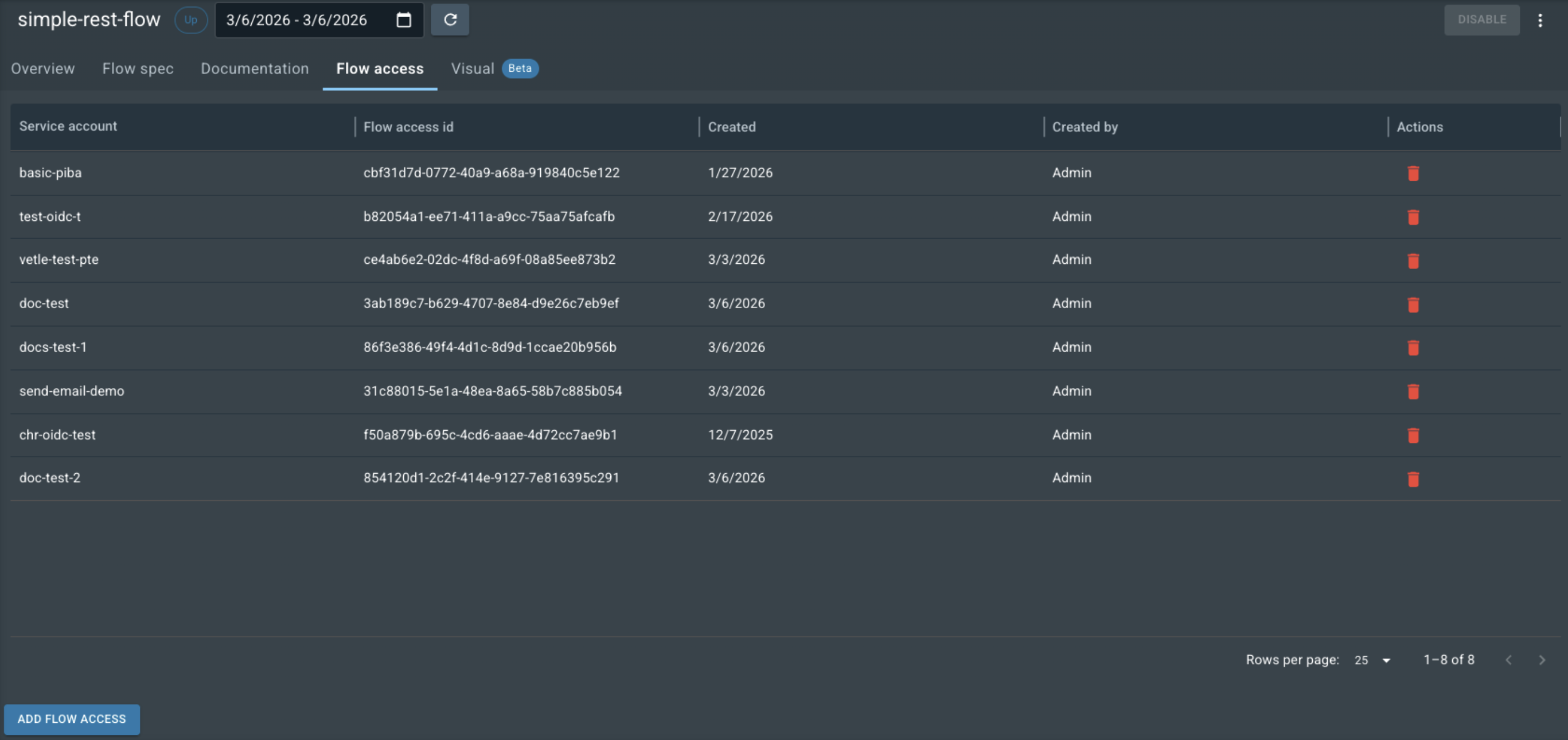
After you add a service account to a flow with REST endpoints, you can make HTTP requests using the account’s credentials or add the credentials to the flow’s Documentation page to test the flow in the Utilihive Console.