Resources
Utilihive Resources is a collection of schemas, documents, secrets, and tables that flow processors can depend on. For example, a restApi processor can use an OpenAPI schema to create REST endpoints.
You can read more about resources in the Resource Registry.
Manage Resources
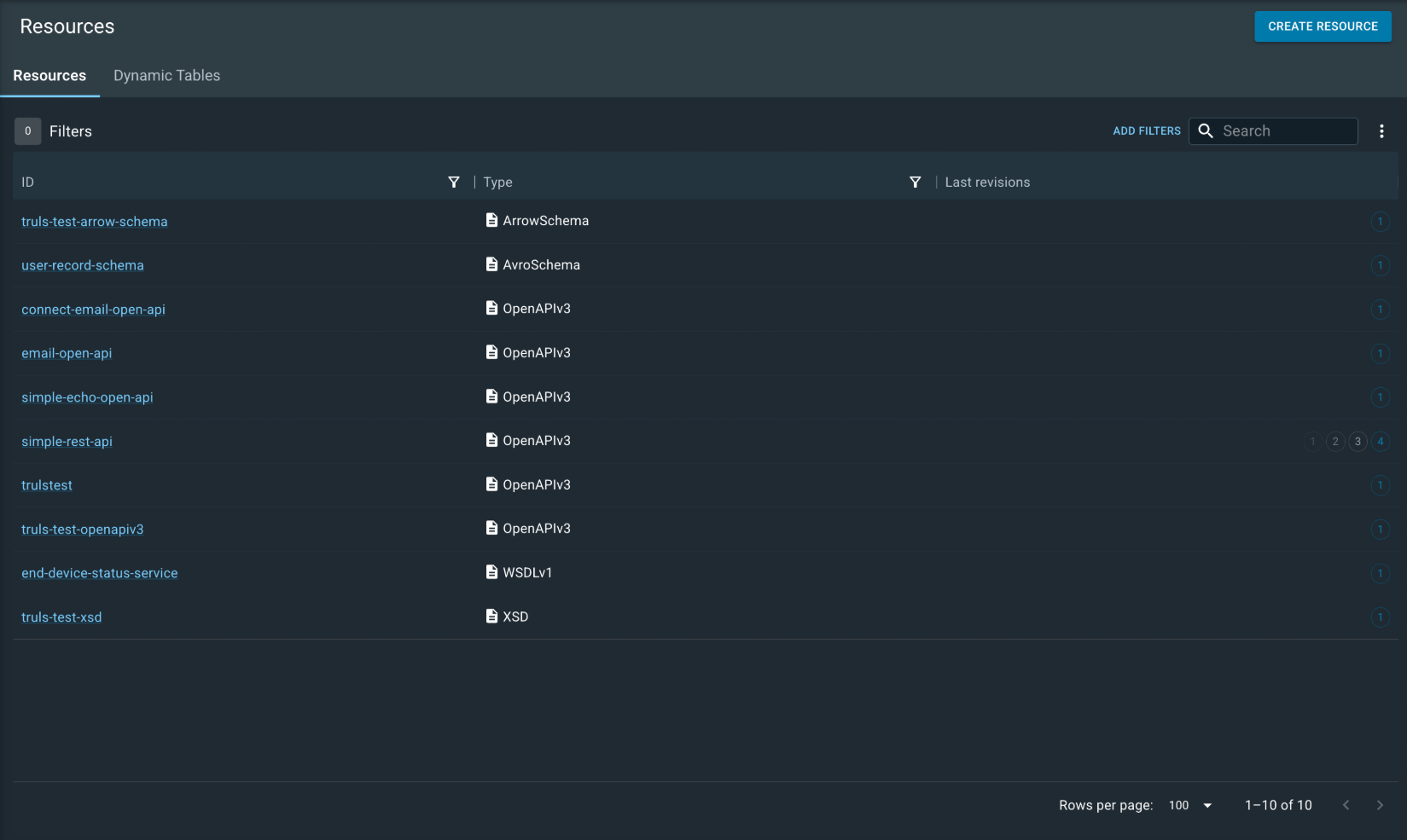
You can manage resources in the Utilihive Console. Select Resources from the left-hand navigation menu to view the resources in the Utilihive Console. The resources are organized by type, and you can filter them by name or type. You can also sort them by name or creation date. The page appears as shown in the following image:
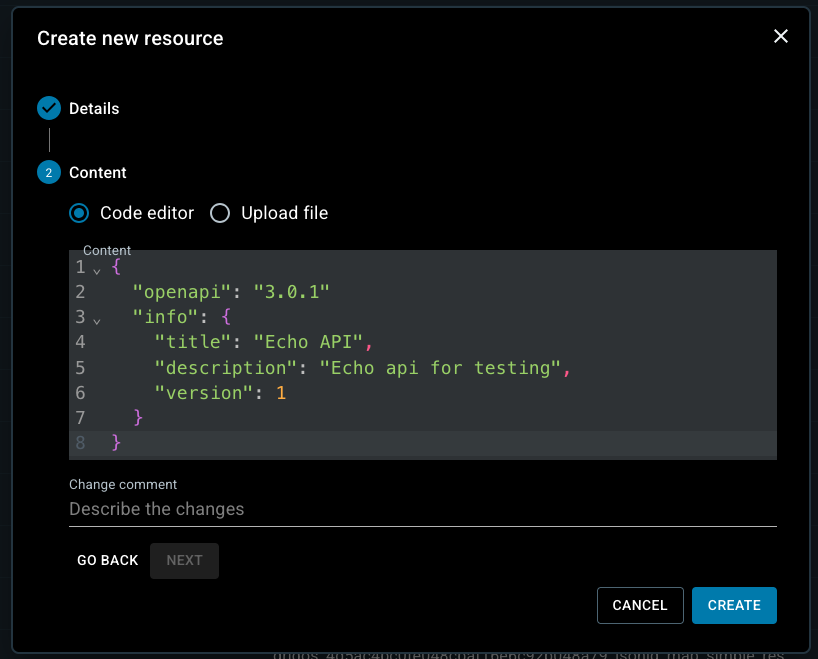
Select Create in the top-right corner to add a new resource. During creation, upload a file or enter the resource content directly in the code editor, as shown in the following image:
Select an existing resource to view its contents. For example:
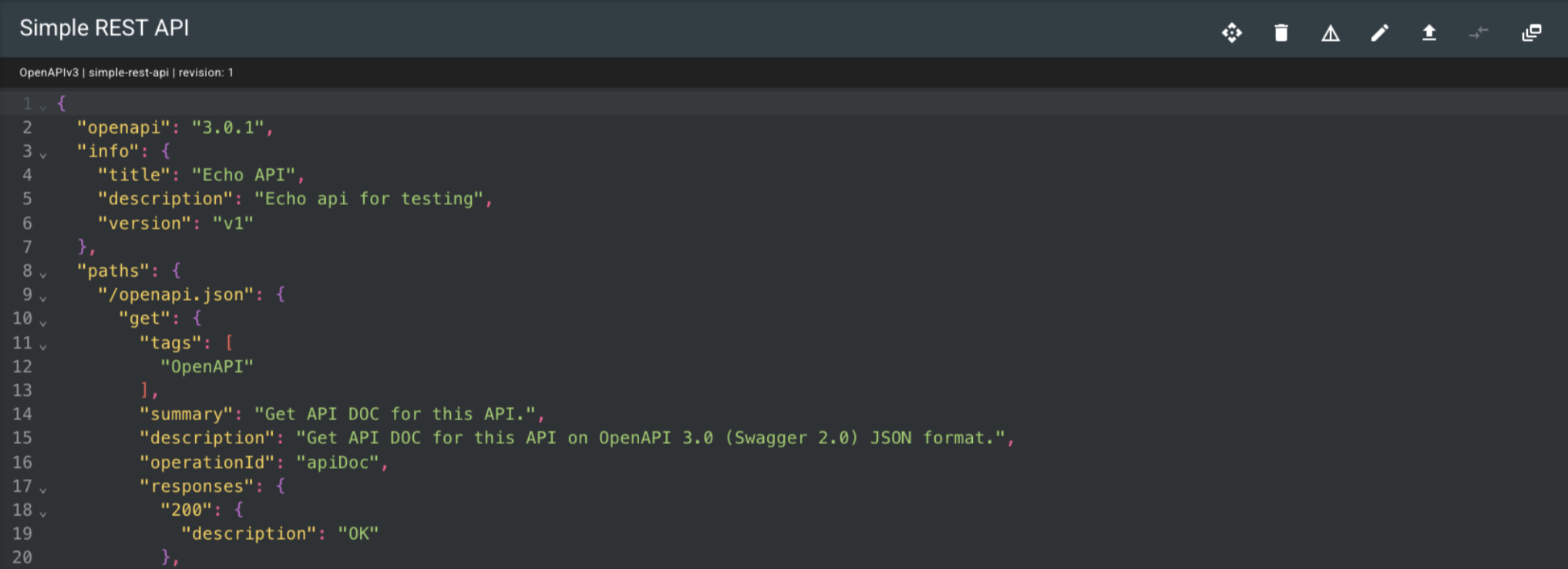
When viewing an individual resource, use the options in the top-right corner to delete ( ) or edit (
 ) the resource.
After editing, select Update to save the changes. Each edit creates a new revision.
) the resource.
After editing, select Update to save the changes. Each edit creates a new revision.
Switch to the Dynamic Tables tab to view the dynamic tables.
You can view Secrets by selecting Security from the left-navigation menu. For more information, see Secrets.
Supported Data Types
The Resource Registry can hold more than just OpenAPI specs and WSDL documents. The following table highlights the different data types that are supported:
| Type | Description |
|---|---|
Resources |
Specifications for REST and SOAP endpoints, and validation schemas for JSON and XML. |
Secrets |
Sets of key/value pairs used to authenticate against other systems (e.g., databases, external REST APIs, etc.). |
Dynamic Tables |
Small-scale, user-defined data structures for storing common lookup values or cross-referenced IDs. |
| Secrets are persisted in a secure vault and, therefore, cannot be viewed or retrieved after they are deployed to the flow-server. |