Alerts
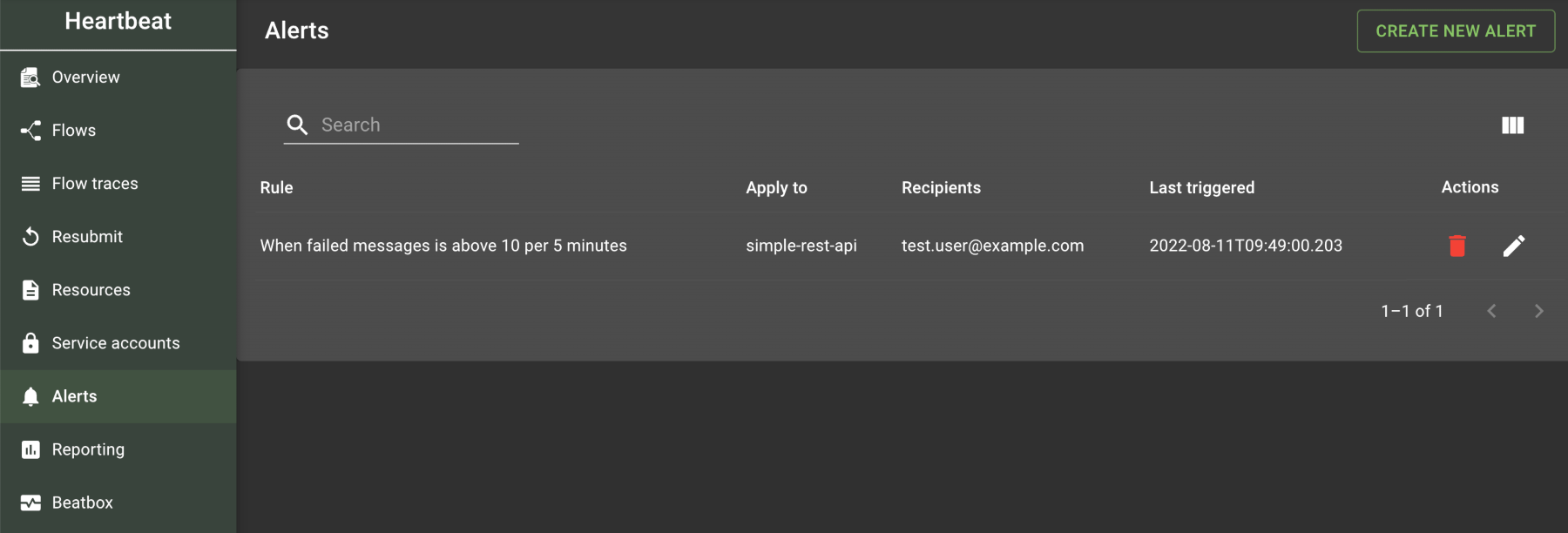
Alerts send emails when a message threshold is reached. Select Alerts from the left navigation menu to view the alert rules currently set up for your server. The page displays the following:
Select the "Create New Alert" button in the top-right corner to add a new alert. During setup, use the following options:
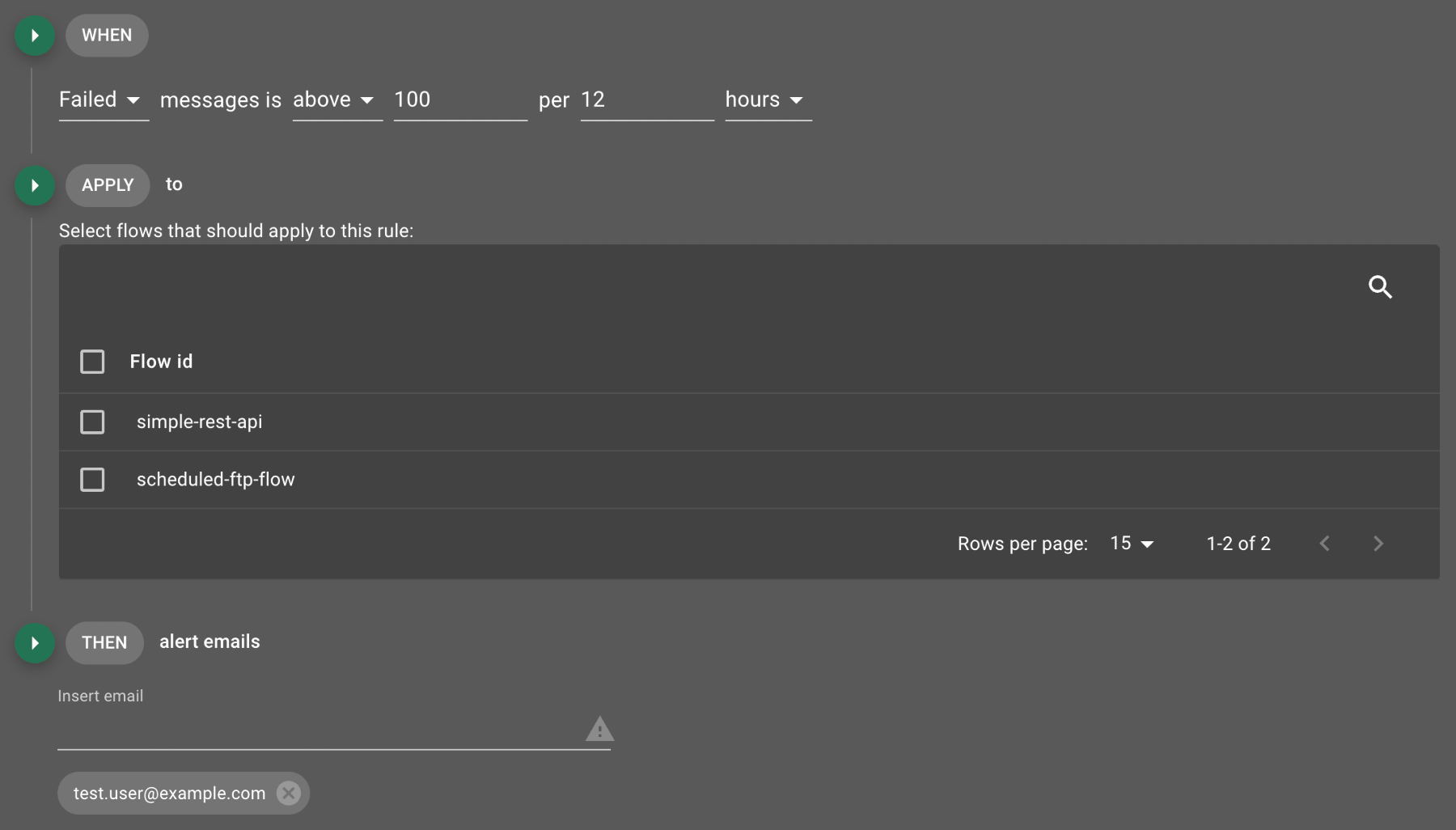
Specify whether the alert applies to failed, received, or successful messages and the number of messages to monitor per time interval.
The email field displays an add button (  ) only when you enter a valid email address.
Add multiple email addresses to the recipient list; each address receives an email when the alert is triggered.
The email looks similar to the following:
) only when you enter a valid email address.
Add multiple email addresses to the recipient list; each address receives an email when the alert is triggered.
The email looks similar to the following:
Alert condition has been triggered on Flow:
simple-rest-api

Condition:
SUCCESSES > 10

Click below to see the flow trace in the Utilihive Console

...
Was this page helpful?