Learn Kotlin
The Utilihive SDK supports Kotlin projects, but you do not need to be a Kotlin expert to start developing flows. You write flows in the Lowcode Domain Specific Language (DSL). You will use most of your Kotlin logic in unit and functional tests. If you are new to Kotlin, you can take a few courses directly in IntelliJ.
JetBrains Academy Plugin
To access the Kotlin courses, install the JetBrains Academy plugin for IntelliJ. Follow these steps in the IntelliJ editor:
-
Select on
WindowsandLinuxor onmacOS. -
In the Settings window, select Plugins.
-
In the Marketplace tab, search for "JetBrains Academy".
-
Select Install to install the plugin.
The following image shows the Plugins tab after you open the Settings window.
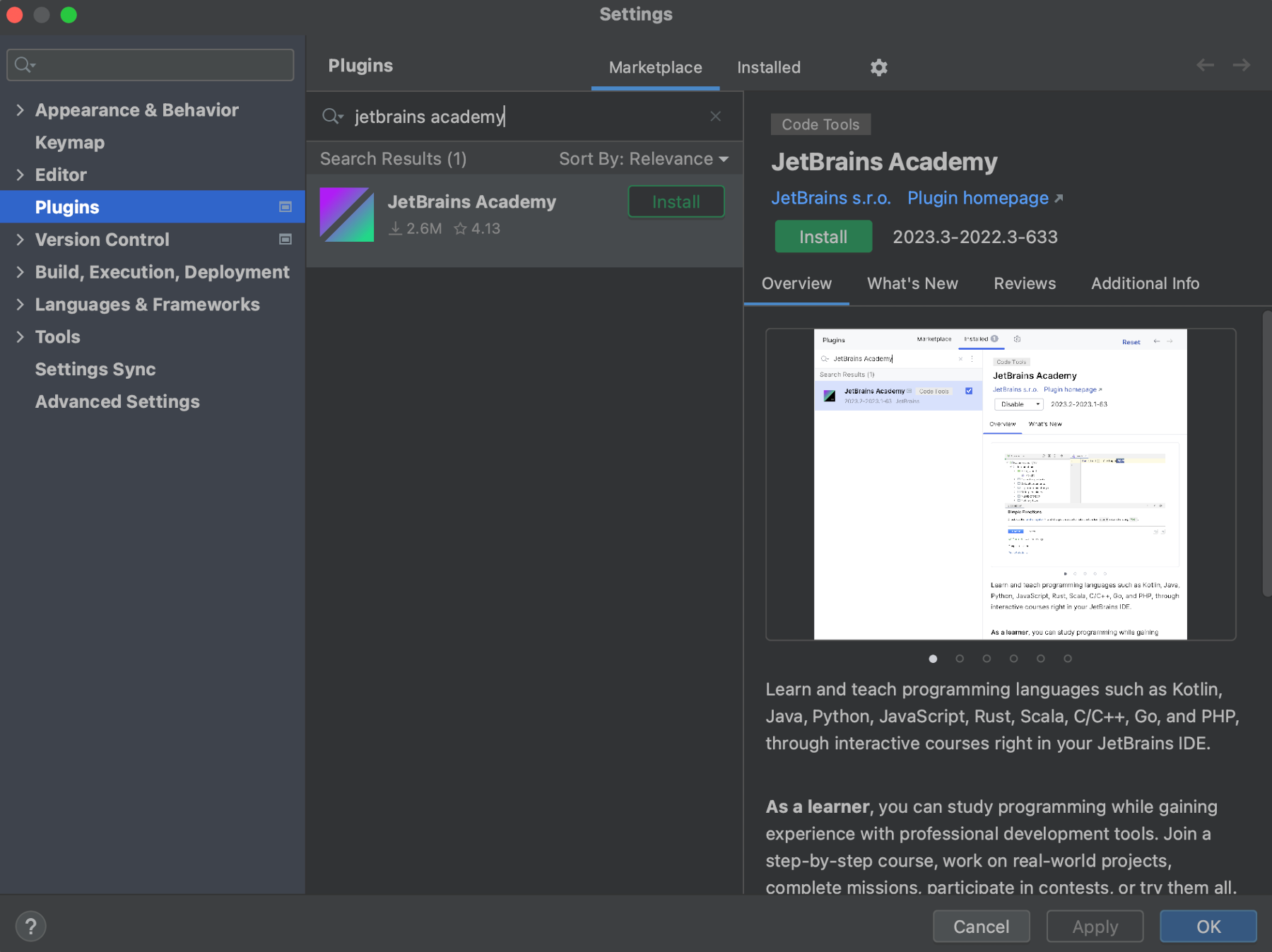
After you install JetBrains Academy, you can install Greenbird’s "Kotlin Course for Flow Developers" and the Kotlin team’s "Kotlin Koans" exercises.
Kotlin Course for Flow Developers
The Kotlin Course for Flow Developers introduces the Kotlin programming language through code examples and exercises. It focuses on the essentials for writing and testing flows with the Utilihive SDK.
To install the course, follow these steps:
-
Download the Kotlin_Course_for_Flow_Developers.zip archive.
-
In IntelliJ, select .
-
From the left menu, select My Courses.
-
Select Open course from disk.
-
Navigate to the downloaded ZIP file and open it.
| If you already have one or more courses installed, the Open course from disk option appears at the bottom of the window. |
For best results, set the course JDK to Java 25. You should already have Java 25 from the SDK installation guide. The following image highlights where to change the JDK in the course introduction window:
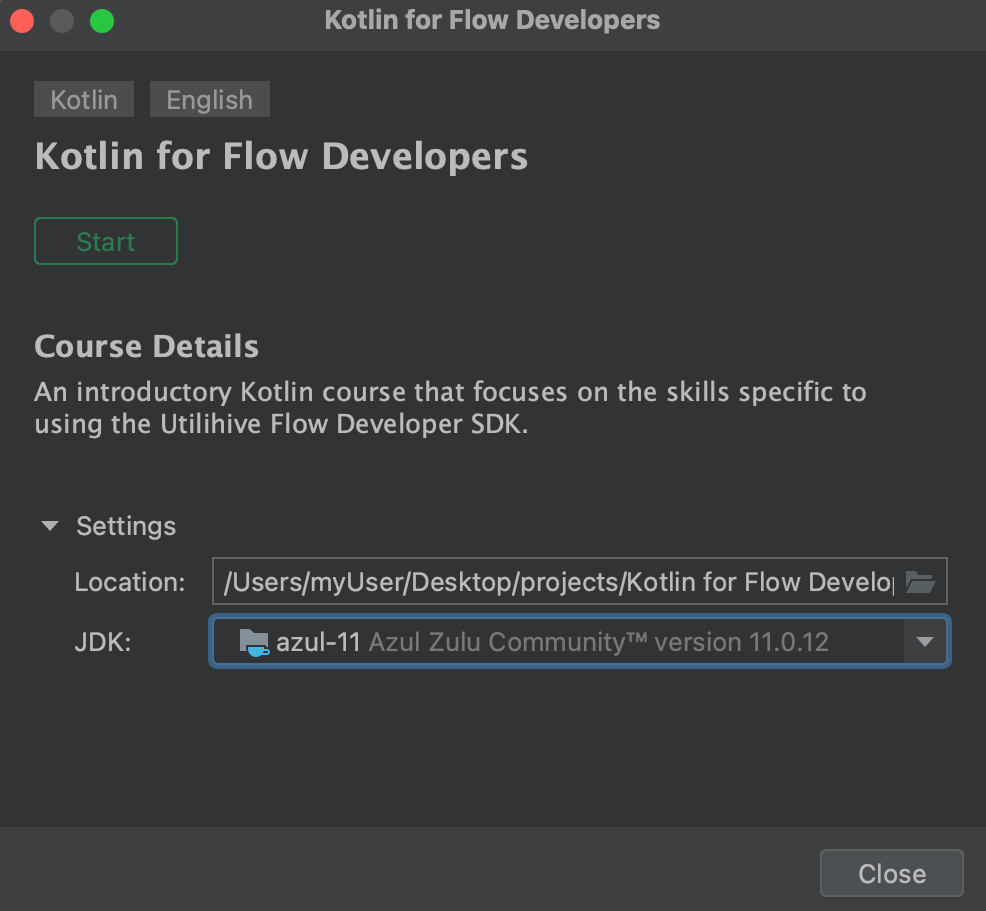
Kotlin Koans
The Kotlin Koans are a series of exercises that appear as failing unit tests. They provide a great next step after you complete the Kotlin Course for Flow Developers, especially if you want to explore Kotlin syntax and features in greater depth.
To install the Koans, follow these steps:
-
In IntelliJ, select .
-
In the Marketplace tab, scroll down to Kotlin Koans.
-
To start the course, select the Start button on the right.
The installation process looks like the following image:
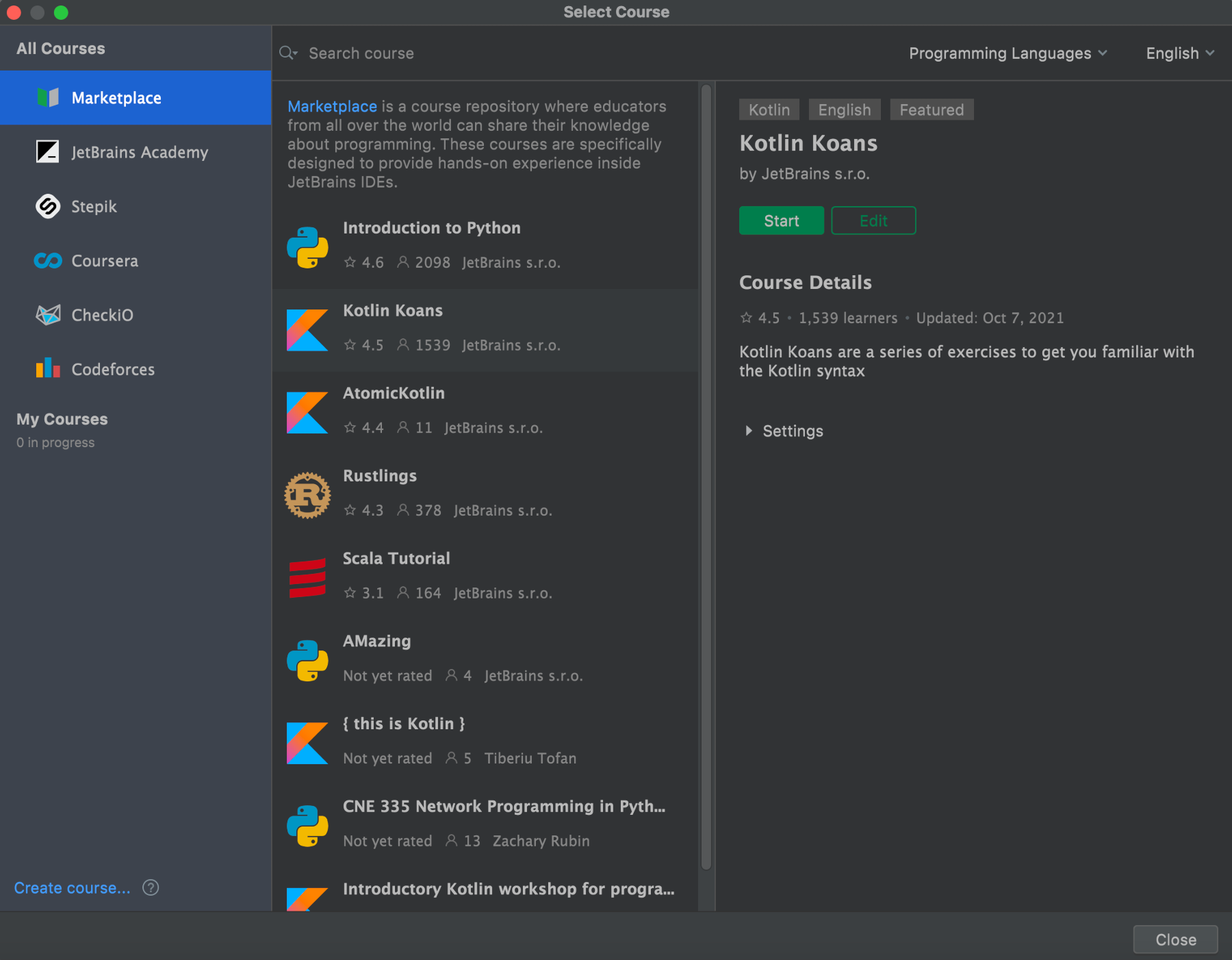
For more Kotlin help, refer to the official Kotlin documentation and the Kotlin Core course from the JetBrains Academy team.